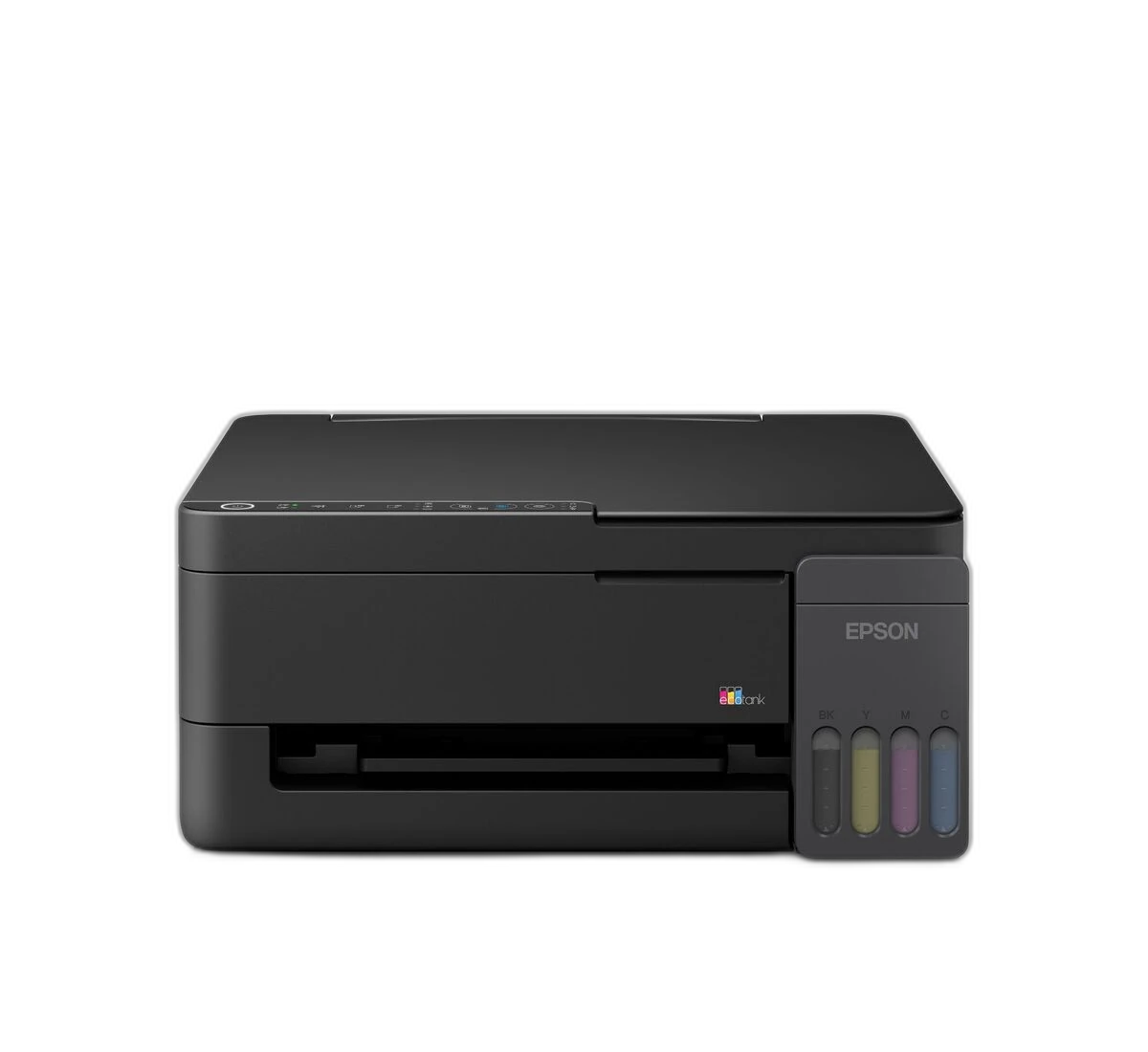

Choose L3350 if you need:
- Weight of 4.2 kg, versus 5.5 kg on the other model.
- Colour first-page-out time of 14.49 seconds, versus 16 seconds on the other model.
printpedia
Side-by-side specification comparison of two reference models
A full side-by-side comparison of reference models L3350 and L5390 within the same category.
Side-by-side specification comparison of two reference models
| Specification | L3350 | L5390 |
|---|---|---|
| Price | Not for sale | Not for sale |
| General | ||
| Brand | Epson | Epson |
| Product Family | EcoTank | EcoTank |
| Canonical Model | L3350 | L5390 |
| Launch Year | 2026 year | 2026 year |
| Printer Type | Colour ink-tank multifunction | Colour ink-tank multifunction |
| Functions | Print, Scan, Copy | Print, Scan, Copy, Fax |
| Colour Printing | Yes | Yes |
| Form Factor | Desktop | Desktop |
| Target Use | Home / Home office | Home office / Small office |
| Merged Regional Aliases | No regional aliases merged | ET-4903 regional equivalent |
| Print Technology | Micro Piezo inkjet | Micro Piezo Heat-Free inkjet |
| Machine Life or Duty Cycle | 50000 pages | 50000 pages / 1 year page |
| Print Head | Micro Piezo | Micro Piezo |
| Nozzle Configuration | 180 black; 59 per colour | 180 black; 59 per colour |
| Ink Colour Count | 4 colour | 4 colour |
| Ink Technology | Dye | Dye ink |
| Maximum Print Resolution | 5760 x 1440 dpi | 5760 x 1440 dpi |
| ISO Black Speed | 11 ipm | 11 ipm |
| ISO Colour Speed | 6 ipm | 6 ipm |
| Draft Black Speed | 33 ppm | 33 ppm |
| Draft Colour Speed | 15 ppm | 15 ppm |
| First Page Out Colour | 14.49 sec | 16 sec |
| Borderless Printing | Yes | Yes |
| Maximum Borderless Size | 10 x 15 cm | 10 x 15 cm |
| 10x15 cm Photo Time | 69 sec | 69 sec |
| Minimum Droplet Size | 3 pl | 3 pl |
| Print Performance | ||
| First Page Out Black | 9.74 sec | 10 sec |
| Recommended Monthly Volume | 800-5000 page/month | — |
| Paper & Printing | ||
| Maximum Paper Size | A4 / Legal | A4 / Legal |
| Standard Input Capacity | 100 sheet | 100 sheet |
| Multipurpose Tray Capacity | 0 sheet | 0 sheet |
| Output Capacity | 30 sheet | 30 sheet |
| Scanning | ||
| Scanner Type | CIS flatbed | CIS flatbed |
| Optical Scan Resolution | 1200 x 2400 dpi | 1200 x 2400 dpi |
| ADF Capacity | — | 30 sheet |
| Scan Copy Fax | ||
| Maximum Scan Size | A4 / Letter | A4 / Letter |
| Mono Scan Speed | 11 (flatbed) sec/page | 4.5 ipm (ADF); 12 sec (flatbed) sec/page |
| Colour Scan Speed | 28 (flatbed) sec/page | 4.5 ipm (ADF); 29 sec (flatbed) sec/page |
| Automatic Document Feeder | — | Yes |
| Copy Function | Yes | Yes |
| Colour Copy Speed | 4 ipm | — |
| Fax Function | — | Yes |
| Copying | ||
| Black Copy Speed | 8.7 ipm | — |
| Fax | ||
| Fax Modem Speed | — | 33.6 kbps |
| Paper | ||
| Rear Feed Capacity | 100 sheet | 100 sheet |
| Front Cassette Count | 0 tray | 0 tray |
| Media Types | Plain, photo, envelopes | Plain, photo, envelopes |
| Media Weight Range | 64-300 g/m2 | 64-300 g/m2 |
| Connectivity | ||
| USB | Yes | Yes |
| Ethernet | — | Yes |
| Wi-Fi | Yes | Yes |
| Wi-Fi Direct | Yes | Yes |
| Apple AirPrint | Yes | Yes |
| Mopria | — | Yes |
| Connectivity Software | ||
| Mobile App | Epson Smart Panel | Epson Smart Panel |
| Operating Systems | Windows; macOS | Windows; macOS |
| Email or Cloud Print | Yes | Yes |
| Ink Operations | ||
| Ink Bottle Series | 103 | 104 / regional equivalent |
| Replacement Black Yield | 4700 page | 4700 page |
| Replacement Colour Yield | 7500 page | 7500 page |
| Dimensions W x D x H | 361 x 317 x 162 mm | 375 x 317 x 224 mm |
| Operating Power | 12 W | 12 W |
| Display | — | 3.6 cm colour LCD |
| User-replaceable Maintenance Box | Yes | Yes |
| Included Black Yield | 3600 page | — |
| Included Colour Yield | 6500 page | — |
| Dimensions & Weight | ||
| Weight | 4.2 kg | 5.5 kg |
Both printers include colour printing, Wi-Fi connectivity, and USB connectivity. Their most relevant distinctions are fax and an automatic document feeder (ADF).
L5390 offers print, scan, copy, and fax, versus print, scan, and copy on L3350. L5390 supports an automatic document feeder (ADF), whereas L3350 does not. L5390 supports Ethernet, whereas L3350 does not. L5390 supports Mopria, whereas L3350 does not. L3350 has weight of 4.2 kg, versus 5.5 kg on L5390.
The paired specifications favour L5390, particularly on fax. The other model may fit better if its own strengths matter more to you. Consider the first model if weight matters most; consider the second if fax is the priority. Print-only versus scan or copy functions determines whether the document tasks you need are available on the same device.
L5390 offers print, scan, copy, and fax, versus print, scan, and copy on L3350. L5390 supports an automatic document feeder (ADF), whereas L3350 does not.
L3350 leads on weight, while L5390 leads on fax. Choose according to the feature you will use most.
Both list colour printing, Wi-Fi connectivity, and USB connectivity.
L5390 supports Ethernet, whereas L3350 does not.