
Choose HL-2460N if you need:
- Higher Black Print Speed A4: 25 ppm vs 18 ppm
printpedia
Side-by-side specification comparison of two reference models
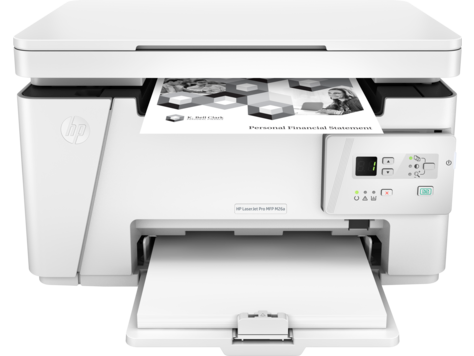
A full side-by-side comparison of reference models HL-2460N and LaserJet Pro MFP M26a within the same category.
Side-by-side specification comparison of two reference models
| Specification | HL-2460N | LaserJet Pro MFP M26a |
|---|---|---|
| Price | Not for sale | Not for sale |
| Connectivity | ||
| USB | — | Yes |
| Mobile Printing | — | Not supported |
| Dimensions & Weight | ||
| Width | — | 420 mm |
| Depth | — | 266 mm |
| Height | — | 254 mm |
| Weight | — | 8 kg |
| Power & Warranty | ||
| Input Voltage | — | 110-127 V |
| Power Consumption Printing | — | 310 W |
| Power Consumption Sleep | — | 1.1 W |
| Warranty | — | 1-year limited hardware warranty (U.S.) |
| General | ||
| Product Brand | Brother | HP |
| Product Model | HL-2460N | LaserJet Pro MFP M26a |
| Product Series | HL Series | LaserJet Pro MFP M26 Series |
| Product Type | Monochrome Laser Printer | Monochrome Laser Multifunction Printer |
| Printer Functions | Print, Scan, Copy | |
| Print Technology | Laser | Laser |
| Consumables | ||
| Black Toner Model | — | HP 79A (CF279A) |
| Included Black Toner Yield | — | 500 pages |
| Replacement Black Toner Yield | — | 1000 pages |
| Paper & Printing | ||
| Maximum Paper Size | — | Legal |
| Supported Paper Sizes | — | Letter, Legal, Executive, 8.5 x 13 in, A4, A5, A6, B5 (JIS), Envelope C5, Envelope DL |
| Minimum Custom Media Width | — | 76.2 mm |
| Maximum Custom Media Width | — | 215.9 mm |
| Minimum Custom Media Length | — | 127 mm |
| Maximum Custom Media Length | — | 355.6 mm |
| Supported Media Types | — | Laser paper, Plain paper, Photo paper, Rough paper, Vellum, Envelope, Label, Cardstock, Postcard |
| Minimum Media Weight | — | 60 g/m² |
| Maximum Media Weight | — | 163 g/m² |
| Standard Input Capacity | — | 150 sheets |
| Maximum Input Capacity | — | 150 sheets |
| Multipurpose Tray Capacity | — | 0 sheets |
| Output Capacity | — | 100 sheets |
| Scanning | ||
| Scanner Type | — | Flatbed |
| Optical Scan Resolution | — | 1200 x 1200 dpi |
| Print Performance | ||
| Black Print Speed A4 | 25 ppm | 18 ppm |
| First Page Out Black | — | 9.2 s |
| Print Resolution | — | 600 x 600 dpi |
| Monthly Duty Cycle | — | 5000 pages/month |
| Recommended Monthly Volume | — | 100-1000 pages/month |
| Processor Speed | — | 600 MHz |
| Standard Memory | — | 128 MB |
| Maximum Memory | — | 128 MB |
| Internal Storage | — | 0 GB |
| Print Languages | — | Host-based printing |
| Copying | ||
| Black Copy Speed | — | 18 cpm |
| Copy Resolution | — | 600 x 400 dpi |
| Maximum Copies | — | 99 copies |
| Copy Zoom Range | — | 25-400 % |
HL-2460N and LaserJet Pro MFP M26a share specifications such as Print Technology (Laser).
The main differences: Printer Functions (HL-2460N: Print, LaserJet Pro MFP M26a: Print, Scan, Copy); Black Print Speed A4 (HL-2460N: 25 ppm, LaserJet Pro MFP M26a: 18 ppm).
HL-2460N may suit users who need its differing values, while LaserJet Pro MFP M26a benefits those who need its paired strengths. Review the specs table above before deciding.